










A carousel with dots underneath tells nobody what the next slide holds.
Connecting it to a Tabs Tours block turns your tab titles into the carousel’s controls, so each label moves the slider to its slide.
For every Tabs Tours setting in one place, see the Tabs Tours block guide.
Before You Start
- Edition: Free — works in Nexter Blocks (free) and with Nexter Blocks Pro.
- Block to enable: Tabs Tours, switched on under Nexter > Blocks in your WordPress dashboard.
- Both blocks on the page: a carousel block and a Tabs Tours block.
- The same number of slides and tabs, so every tab has a slide to move to.
Steps
- Add the Tabs Tours block to your page and click Design from Scratch.
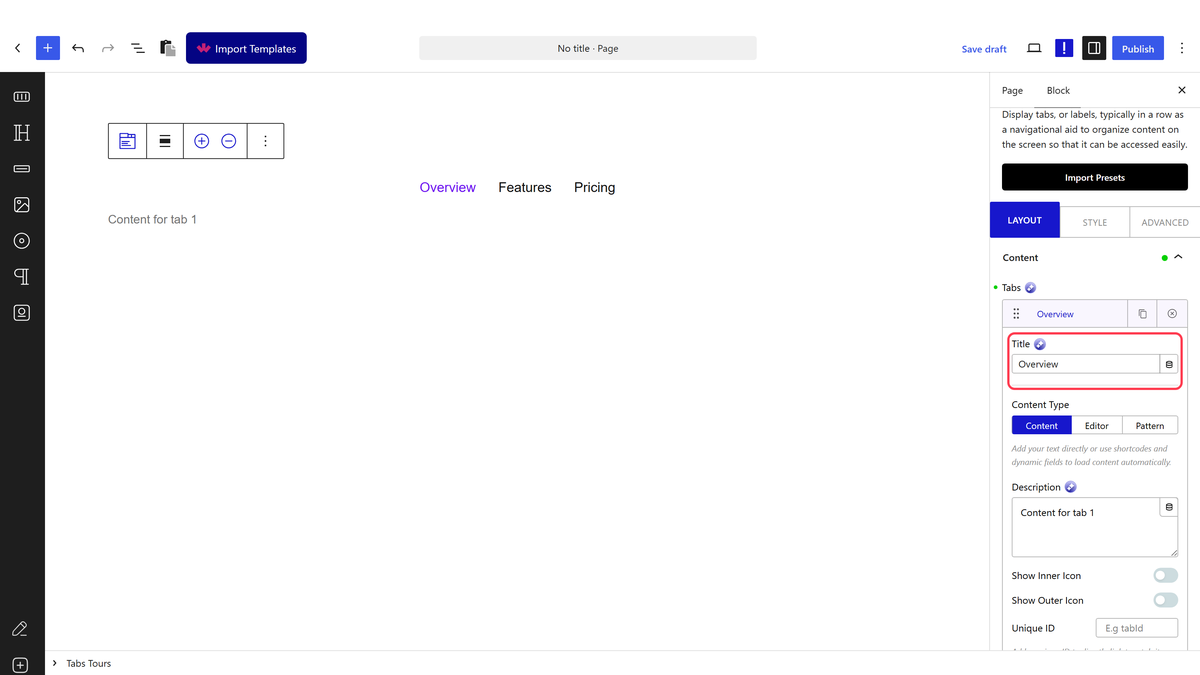
- Open the Content panel. Each item in Tabs is one tab — set its Title, and click Add Tab for more.
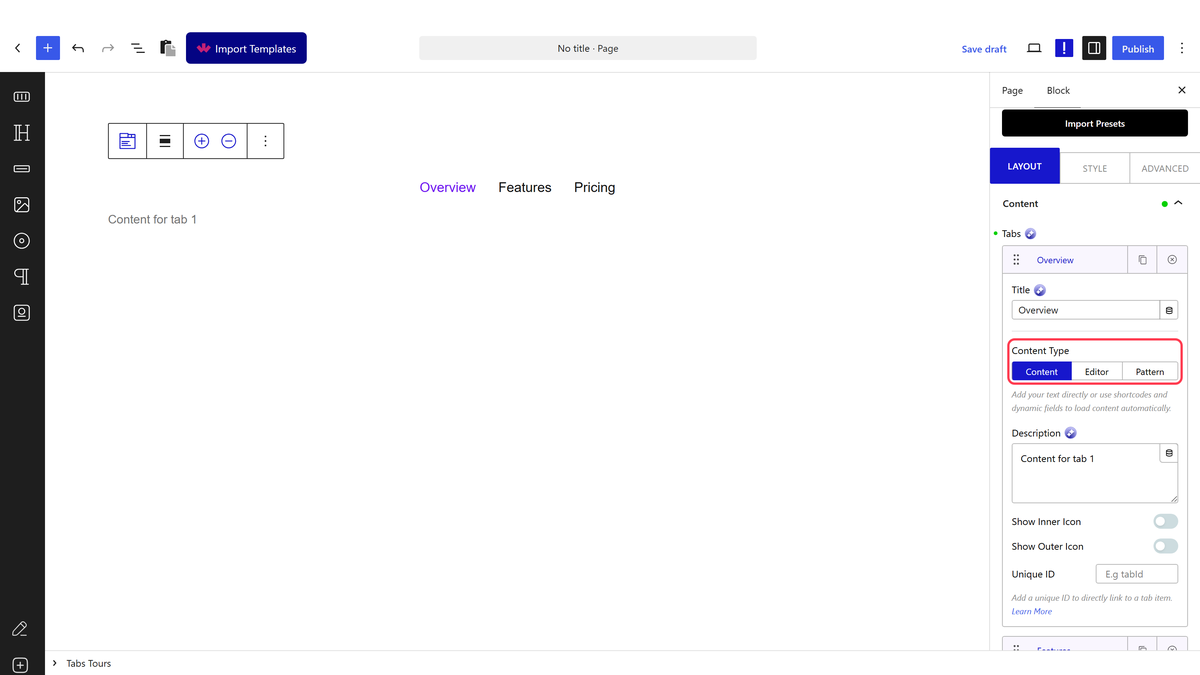
- Set each tab’s Content Type and fill in its content.
- In the carousel block, find its remote sync setting and give it a unique ID, for example my-carousel.
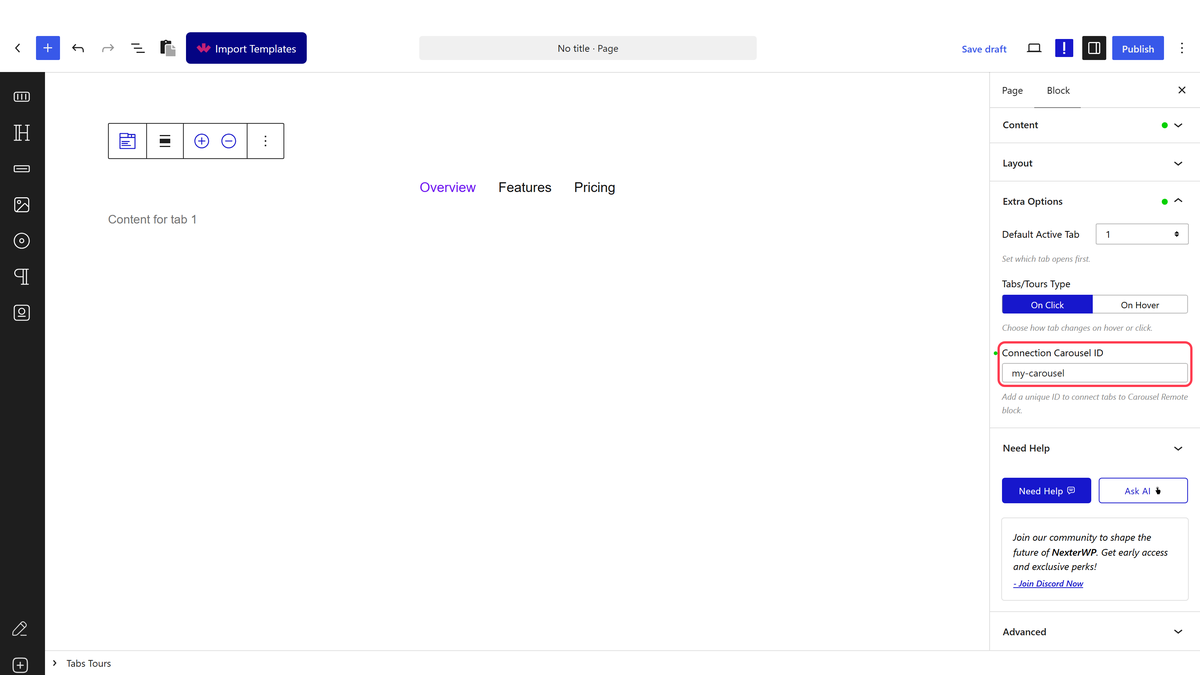
- Select the Tabs Tours block, open Extra Options and put that same ID into Connection Carousel ID.
- Publish the page and click through the tab titles to check the carousel follows.
The ID has to match in both blocks exactly, including capitals and hyphens. It is a name you invent, not something the block generates for you.
How It Behaves
- The ID is written onto the tabs block as connection attributes, and the carousel matches on the same name — that shared name is the whole mechanism.
- Clicking a tab moves the carousel to the matching slide, in list order: the first tab goes to the first slide, and so on.
- Because it is matched by name, the two blocks do not have to sit next to each other on the page.
- The tabs keep working as tabs, so their own content still shows as usual.
Limitations
- The pairing is by position, so a carousel with fewer slides than tabs leaves the extra tabs pointing at nothing.
- A typo in either ID breaks the connection silently — nothing warns you.
- One ID pairs one carousel with one tabs block. Reusing the same ID elsewhere on the page causes conflicts.
- Reordering tabs or slides changes which tab points at which slide.
Troubleshooting
Clicking a tab does not move the carousel
Compare the two IDs character by character. They must match exactly, and the ID must be filled in on both blocks.
Some tabs do nothing
There are more tabs than slides. Add slides, or remove the extra tabs.
The wrong slide opens
The pairing follows list order. Reorder the tabs or the slides so the positions line up.
