










Eight tab titles across a phone screen either wrap into a block of text or get squeezed until nobody can read them.
The Swiper Effect turns that row into a strip visitors can swipe along, so the titles keep their size.
For every Tabs Tours setting in one place, see the Tabs Tours block guide.
Before You Start
- Edition: Free — works in Nexter Blocks (free) and with Nexter Blocks Pro.
- Block to enable: Tabs Tours, switched on under Nexter > Blocks in your WordPress dashboard.
- Your sections planned: one tab per section, and the block takes up to 10 tabs.
Steps
- Add the Tabs Tours block to your page and click Design from Scratch.
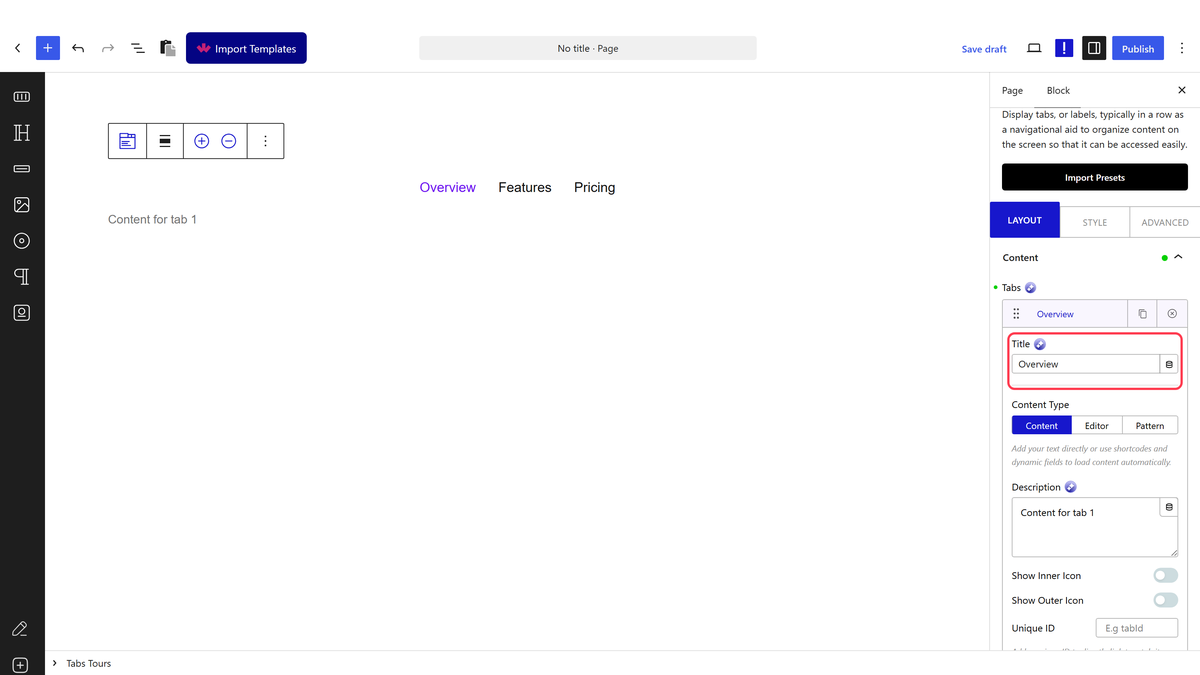
- Open the Content panel. Each item in Tabs is one tab — set its Title, and click Add Tab for more.
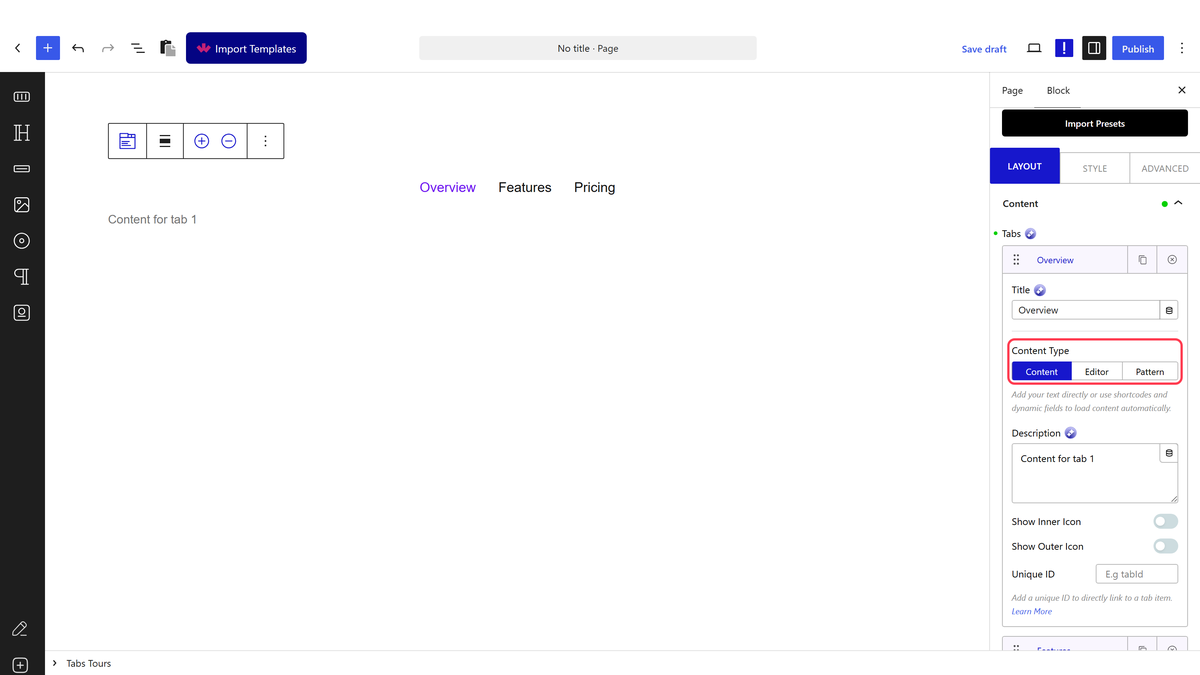
- Set each tab’s Content Type and fill in its content.
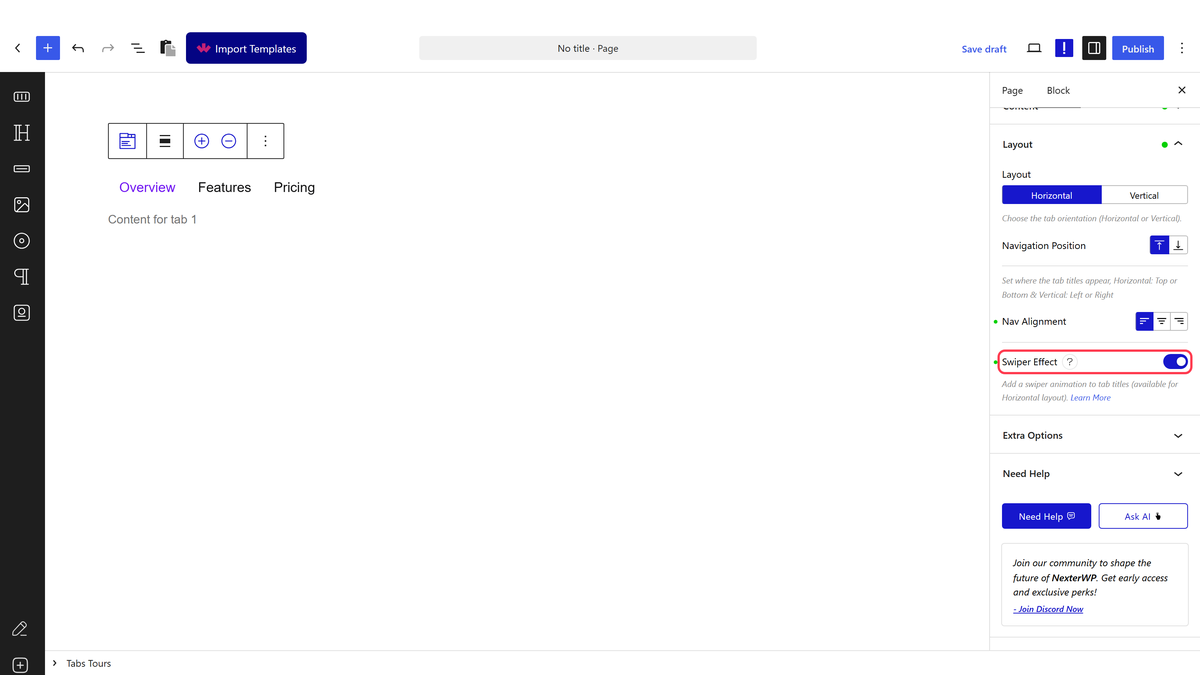
- Open the Layout panel and switch Swiper Effect on.
- Publish the page, then try swiping or dragging the tab titles.
How It Behaves
- The tab titles become a sliding strip rather than a row that wraps.
- Visitors swipe on a touch screen, or drag with the mouse on desktop.
- The tab content below is unaffected — only the titles slide.
- It comes into its own with many tabs or long titles; with two or three short ones there is nothing to swipe.
Limitations
- Titles that are off to the side are out of sight until someone swipes, so put the most important tabs first.
- There is no visible arrow to hint that the strip scrolls, which some visitors will miss.
- The effect applies to the titles, not to the tab content.
- It is a per-block setting, so every tab strip in the block behaves the same way.
Troubleshooting
Nothing slides
With only a few short titles they all fit, so there is nothing to scroll. Add more tabs or view the page on a narrower screen to see the effect.
The titles still wrap onto two lines
Check Swiper Effect is on and view the published page — the slider script only runs on the front end.
Swiping scrolls the whole page instead
Swipe directly on the tab titles. A swipe that starts on the content below moves the page as usual.
