










A login prompt, a members-only notice, a welcome-back banner — all of them only make sense for one kind of visitor.
Login Status is the one Display Rules condition that works without Nexter Blocks Pro, and it comes down to a single switch: is the visitor logged in, or not.
For every Dynamic Device setting in one place, see the Display Rules feature guide.
Before You Start
- Edition: Free — works in Nexter Blocks (free) and with Nexter Blocks Pro.
- Block to enable: Display Rules, switched on under Nexter > Blocks in your WordPress dashboard.
Steps
- Open the block you want to control, go to Advanced > Nexter : Display Rules, and switch on Display Rules.
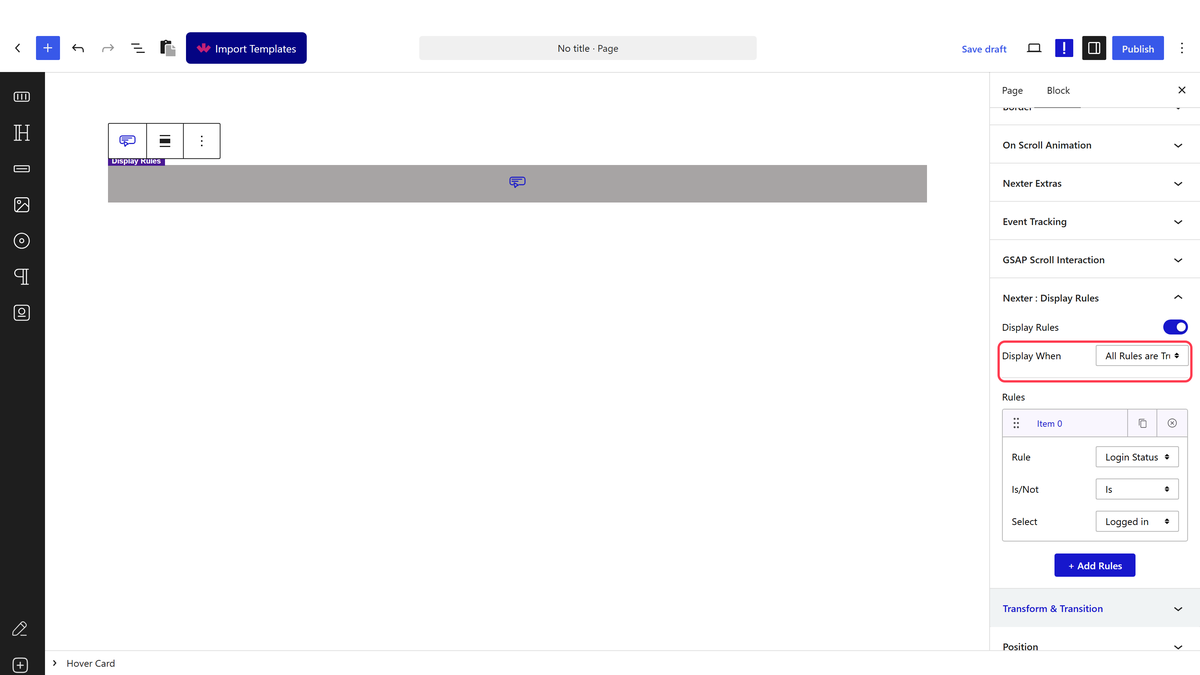
- Set Rule to the condition you want to check.
- Confirm Rule is set to Login Status.
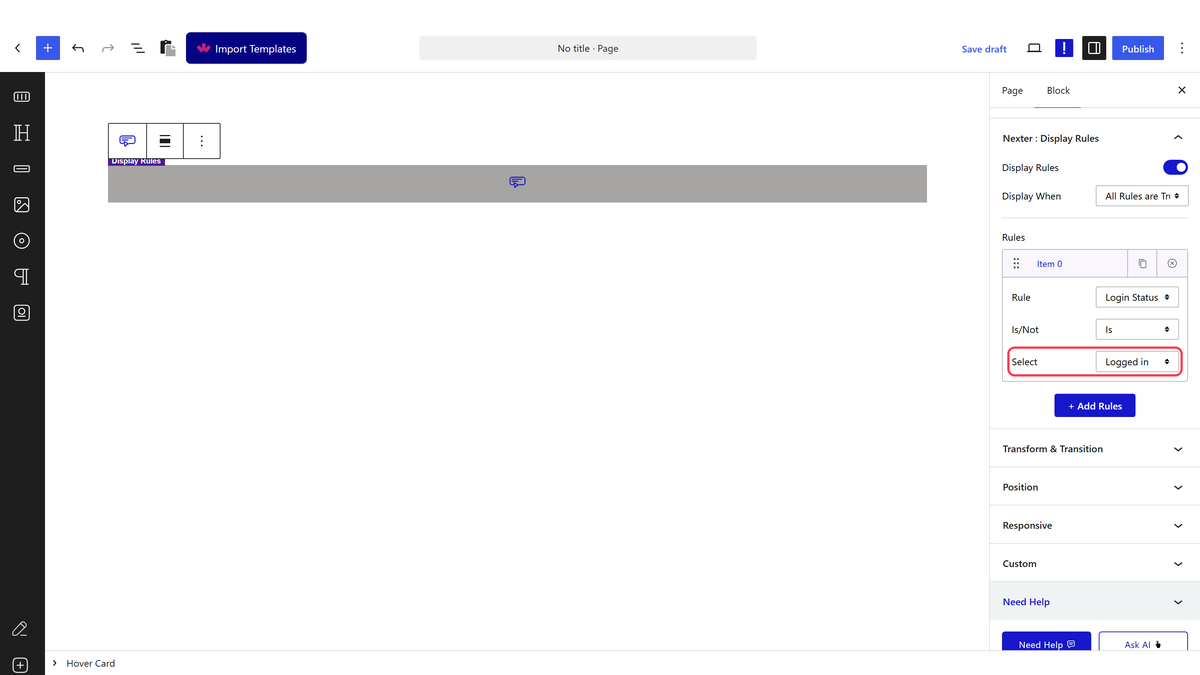
- Set Is/Not: Is to show only to logged-in visitors, Not to show only to logged-out ones.
Select only ever offers one option, Logged in. Measured directly in the editor: there is nothing else to choose. The whole condition comes down to the Is/Not switch next to it.
How It Behaves
- Is shows the block only when the visitor is logged in — measured on a logged-out visitor, the block did not render.
- Not shows the block only when the visitor is logged out — measured on the same logged-out visitor, the block rendered.
- There is no way to target a specific user or role with this rule — that needs the Pro-only User Role condition instead.
- Combine it with another rule and Display When if you need something more specific, for example logged-in visitors on a particular page.
Limitations
- Only two states: logged in, or not. There is no role, capability or user-specific targeting in this rule.
- Free only covers this one condition — every other Display Rules condition needs Pro.
- The block is removed from the page entirely when the rule fails, not just hidden with CSS.
Troubleshooting
I want to show a block to editors but not other logged-in users
Login Status cannot tell users apart — it only knows logged in from logged out. Use the Pro User Role condition for anything more specific than that.
The block shows to everyone regardless of login state
Check Display Rules is switched on for that block, and that Rule is actually set to Login Status.
I set Is and now the block never shows at all
That is expected if you are testing while logged out — Is only shows the block to logged-in visitors. Log in, or preview from a different browser session, to check it.
