










A Slack alert for every form submission lets your team reply to leads and requests quickly.
The Form block in Nexter Blocks Pro posts each submission to a Slack channel.
For every Form setting in one place, see the Form block guide.
Before You Start
- Edition: Pro — The Slack action needs Nexter Blocks Pro.
- Block to enable: Form, switched on under Nexter > Blocks in your WordPress dashboard.
- A Slack app with a User OAuth Token: create an app at api.slack.com/apps, add the
chat:writeuser token scope, install it to your workspace and copy the token. See Slack token types. - The channel name, starting with #.
Learn via Video Tutorial
Steps
- Add the Form block to your page, click Design from Scratch and choose Simple Contact Form or Newsletter Form.
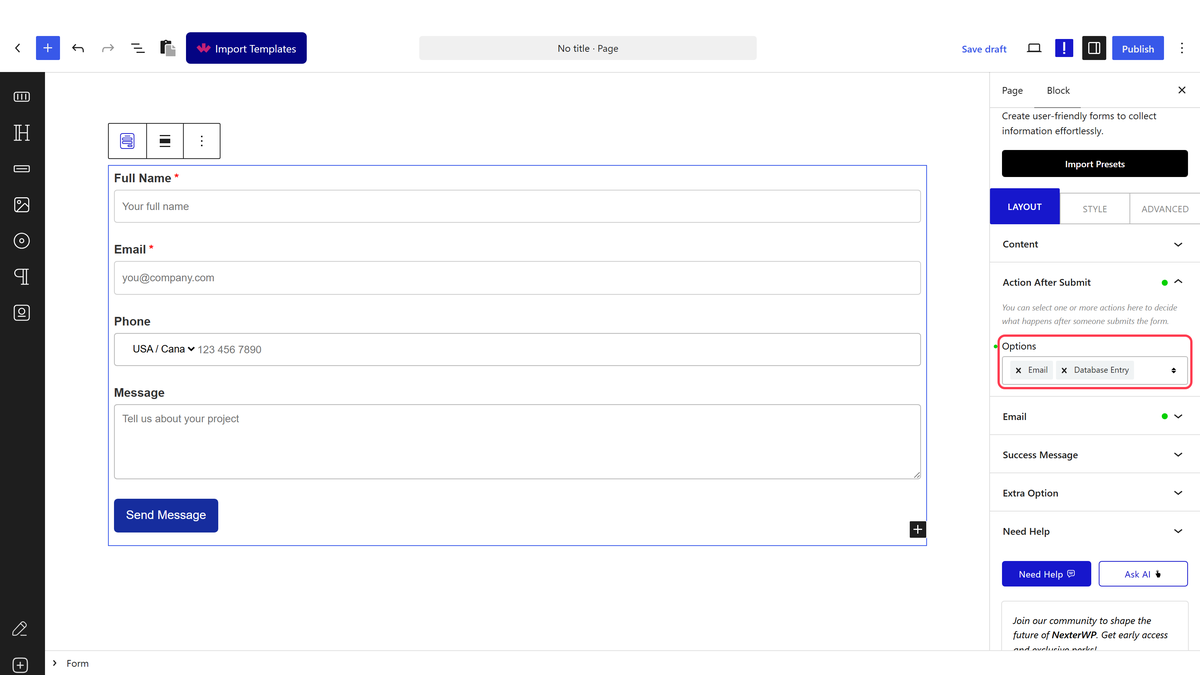
- Select the Form block (not a field inside it). In Action After Submit, open Options and choose Slack. You can keep Email selected as well.
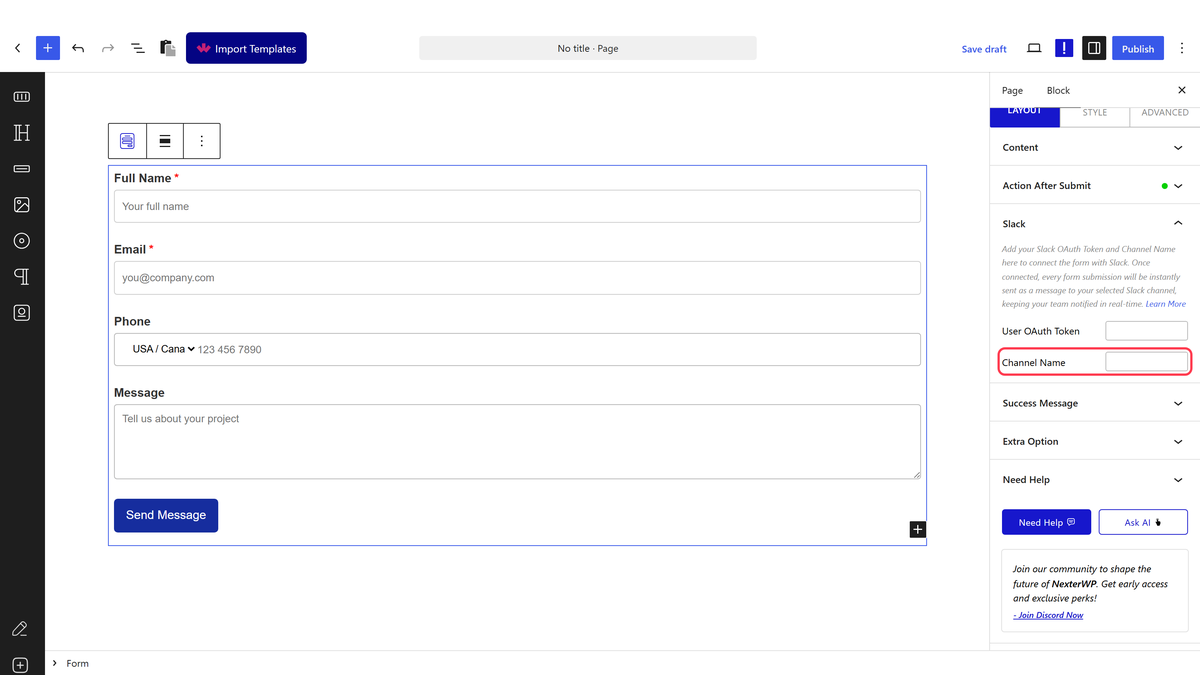
- Open the Slack panel that appears and paste the token into User OAuth Token and type the channel, including #, into Channel Name.
- Save the page, then submit the form once on the front end to test the connection.
How It Behaves
- Each submission posts a message headed New Form Submission to the channel, sent as the user who installed the app.
- The message lists Name, Email, Phone, Message, Radio Group and Checkbox. Empty ones show N/A.
Limitations
- Pro only.
- Other fields, such as Dropdown, Numeric Input, Pick a Date or Website URL, are not included in the Slack message. Add Email or Database Entry as well to get every field.
- The user who installed the app must be a member of a private channel for posts to reach it.
Troubleshooting
No message arrives
Check the token has the chat:write scope, the channel name starts with #, and the app was reinstalled after you changed scopes.
