










A carousel starts on the first slide, which is right until the slide that matters most is the third one — the current month, the featured plan, the newest review.
The initial slide setting tells the carousel where to begin.
Before You Start
- Edition: Pro — the Carousel Anything block needs Nexter Blocks Pro.
- Block to enable: Carousel Anything, switched on under Nexter > Blocks in your WordPress dashboard.
- A Carousel Anything block with several slides — see the Carousel Anything guide.
- Test with several slides. A carousel with one slide has nothing to move to, so most settings will look broken when they are simply idle.
Steps
- Select your Carousel Anything block.
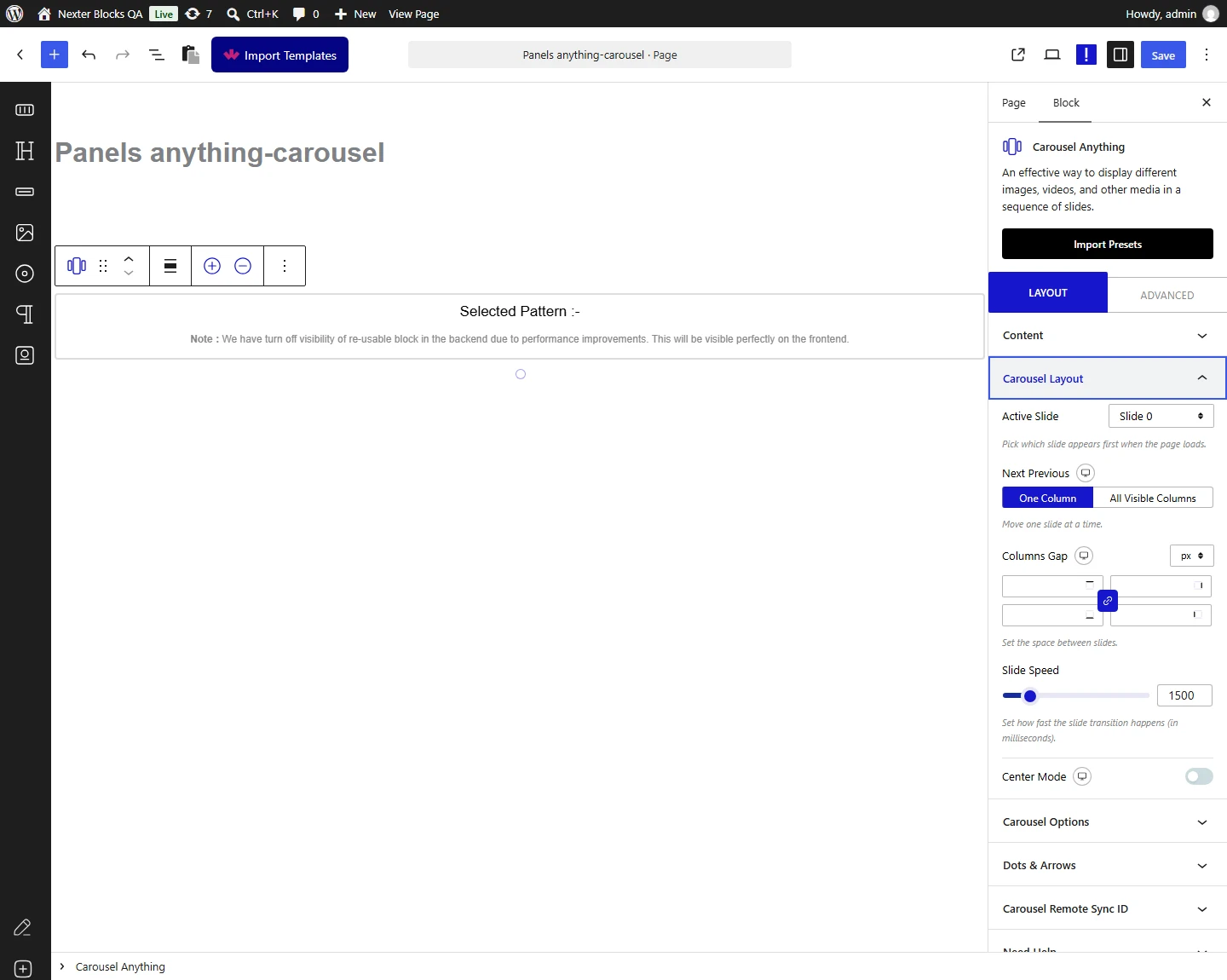
- Set the initial slide to the position you want.
- Publish and load the real page to check which slide appears first.
How It Behaves
The position is passed straight to the carousel as its starting index.
- Measured on a published page: setting the initial slide to 2 rendered
start: 2in the carousel configuration; the default renderedstart: 0. - Counting begins at zero. Measured —
0is the first slide, so2is the third. This is the thing to get wrong. - It only sets the starting point. Once the visitor moves the carousel, or autoplay does, it behaves normally.
- It is unrelated to the connection features. If you want another block to control which slide shows, see the Carousel Remote guide.
- Every setting ends up in one place. The block writes its whole configuration into a
data-splideattribute on the carousel, which is what the slider script reads. If a setting is not doing what you expect, that attribute is where to look. - Autoplay is on by default. Measured: a carousel with nothing configured rendered
autoplay: truewith a 1500 ms interval. If you want a static carousel you have to switch it off deliberately — see the autoplay guide. - Measured with Nexter Blocks Pro deactivated: the carousel renders nothing at all — no wrapper, no configuration and no slides. This is a Pro-only block.
Limitations
- Pro only — measured with Nexter Blocks Pro deactivated, nothing renders.
- A number out of range has nowhere to go. Setting 8 on a six-slide carousel leaves it with an index that does not exist.
- It is a fixed position, not a rule. It cannot follow the current month or the newest item by itself — you set a number and it stays set.
- Starting mid-way hides the slides before it unless loop is on, because the visitor has to go backwards to reach them.
- Adding or reordering slides silently changes what starts, since the setting points at a position rather than a slide.
Troubleshooting
It starts on the wrong slide
Counting starts at zero. Measured: 2 renders start: 2, which is the third slide. Subtract one from the position you have in mind.
Nothing changes
Check Nexter Blocks Pro is active, and that autoplay has not already moved the carousel on before you looked — see the autoplay guide.
The earlier slides seem unreachable
They are behind the starting point. Switch infinite loop on so the carousel wraps around to them.
It changed after I reordered the slides
The setting points at a position, not at a particular slide. Update it after reordering.
