










A clear, eye-catching button is often the difference between a visitor reading and a visitor acting.
The free Advanced Button block in Nexter Blocks gives you 23 button styles, icons, hover effects and a built-in popup.
Before You Start
- Edition: Free — works in Nexter Blocks (free) and with Nexter Blocks Pro.
- Block to enable: Advanced Button, switched on under Nexter > Blocks in your WordPress dashboard.
Learn via Video Tutorial
Steps
- Go to Nexter > Blocks, search for Advanced Button and turn it on.
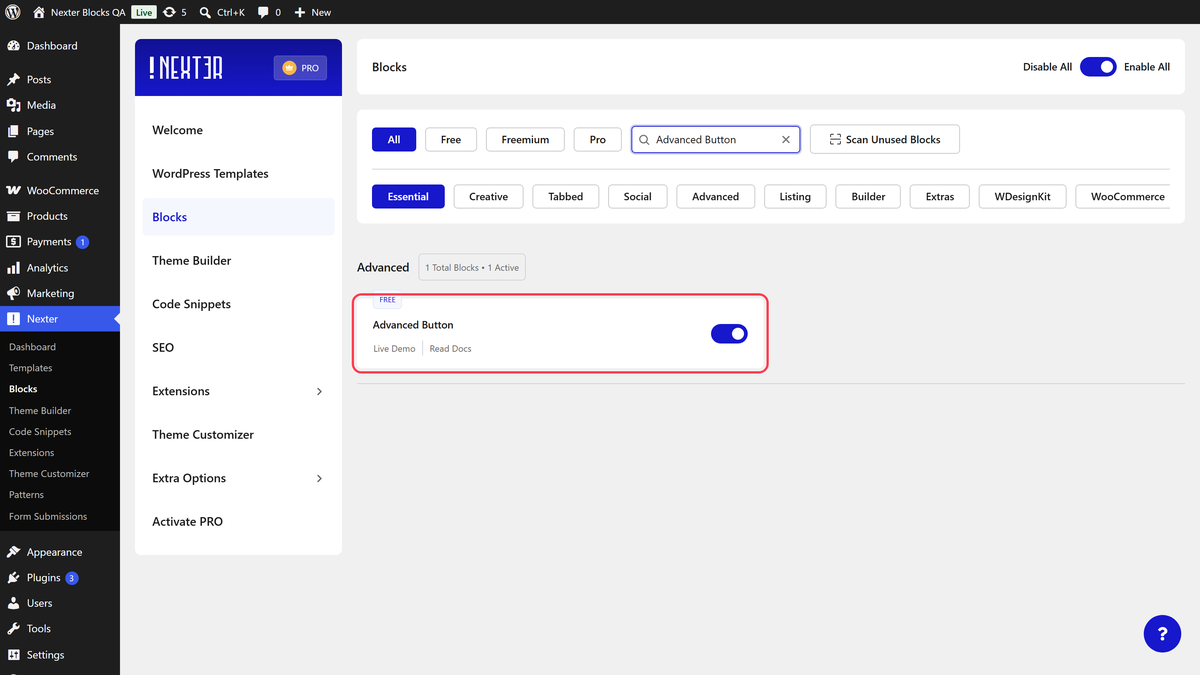
- Add the Advanced Button block and click Design from Scratch.
- In the Content panel, pick a style under Select Style and type the button text in Title.
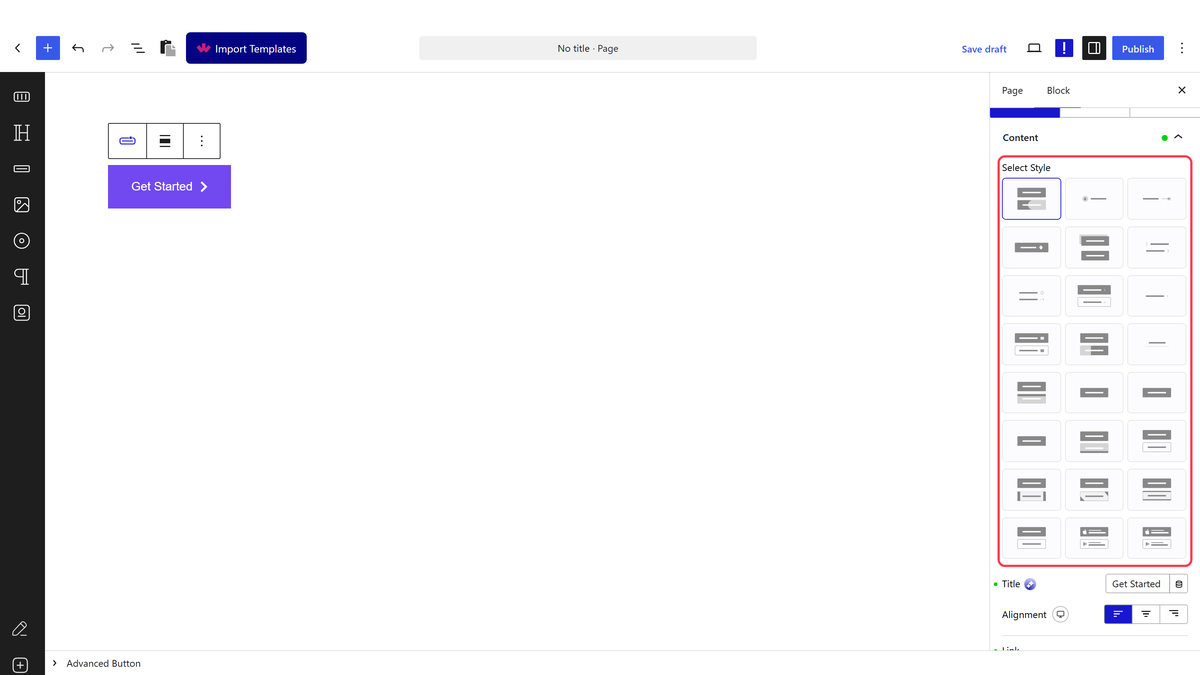
- Add the destination in Link and set Alignment.
- Optional: choose an icon in the Icon panel and style the button on the Style tab. Save.

Layout Settings
| Panel | Setting | What it does |
|---|---|---|
| Content | Select Style | 23 designs; some add hover text or an extra title |
| Content | Title, Hover Text, Extra Title | Button text; Hover Text shows on hover in some styles; Extra Title is the small line in Style 23 |
| Content | Alignment, Link | Position per device; the destination, with new tab and nofollow options |
| Content | Button Hover Style | Direction of the hover animation in Styles 11 and 13 |
| Icon | Icon Type | None, Font Awesome, Image or SVG, with Select Icon, Image and Image Size, or Upload SVG |
| Modal Popup | Enable Popup on Click, Select Template | Opens a saved pattern in a popup instead of following the link |
| Accessibility | Aria Label | The name screen readers announce |
Style Settings
| Panel | Settings |
|---|---|
| Button | Typography, Normal/Hover text, icon, border and background colours, Box Border, Border Radius, Box Shadow, Padding |
| Icon | Icon Position (Prefix or Postfix), Vertical Position (Style 23), Icon Spacing, Icon Size |
| Extra Options | Maximum Width, Interval Shake with Duration(s), Content Hover Effect with Select Effect and Shadow Color |
| FancyBox Option | Overlay Color and Width of the popup (when the popup is on) |
Button Presets at the top of the sidebar apply a saved style or the global button style. The Advanced tab holds the options shared by all Nexter Blocks.
How It Behaves
- The whole button is one link with the button role; the Aria Label falls back to the Title.
- With Enable Popup on Click, clicking opens the pattern in an overlay and the Link is ignored.
- It works the same in the free plugin and with Nexter Blocks Pro.
Limitations
- Without a Link, the button reloads the current page when clicked.
- Hover Text and Extra Title only appear in the styles that support them.
Troubleshooting
I cannot find the Advanced Button block
It is switched off. Go to Nexter > Blocks, search for Advanced Button and turn it on.
My Hover Text does not show
Pick a style that supports hover text, such as Style 11.
