










A full screen popup is wrong for navigation — people want the page still there behind the menu.
The Slide and Push Content types bring a panel in from the side instead of covering everything.
For every Popup Builder setting in one place, see the Popup Builder block guide.
Before You Start
- Edition: Pro — the Popup Builder block is part of Nexter Blocks Pro.
- Block to enable: Popup Builder, switched on under Nexter > Blocks in your WordPress dashboard.
- The popup’s content decided: a short message, a form, or a saved pattern to load into it.
Learn via Video Tutorial
Steps
- Add the Popup Builder block to your page and click Design from Scratch.
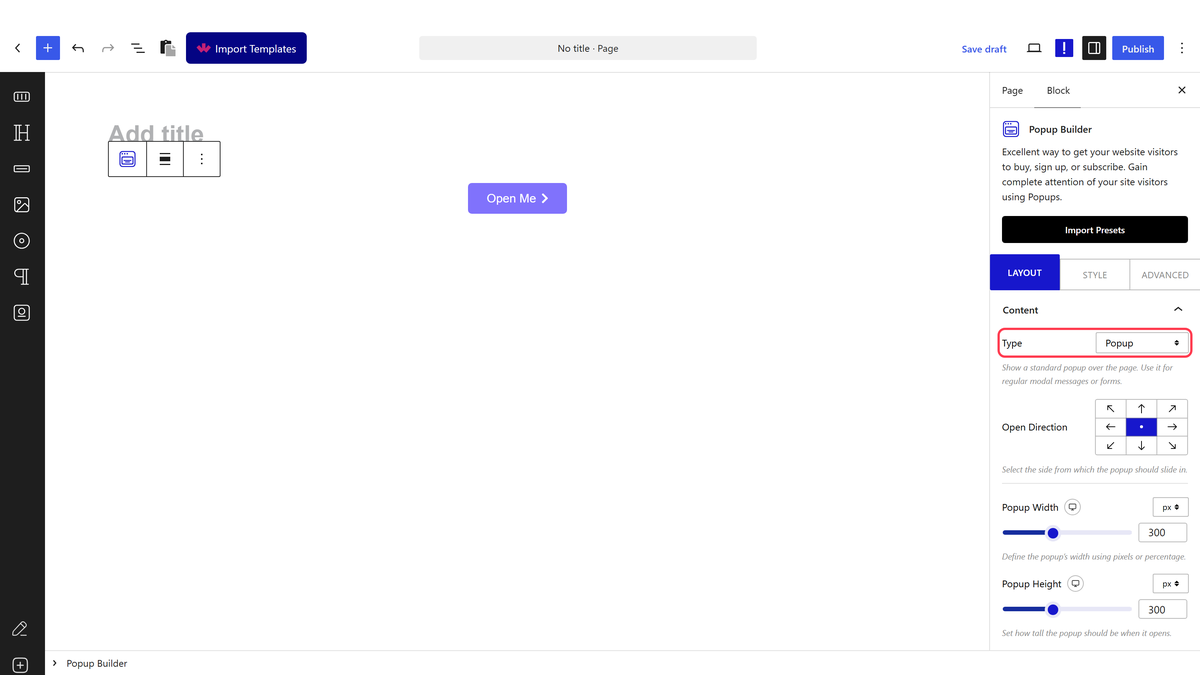
- In the Content panel, choose a Type and set the popup’s size.
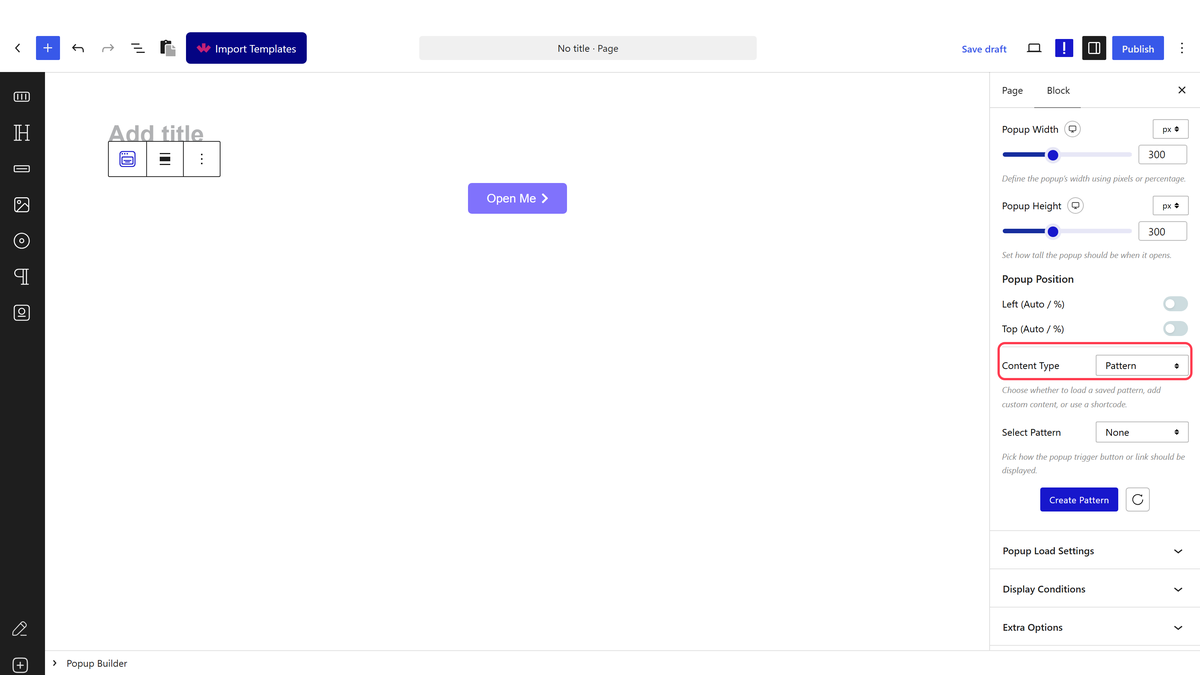
- Set Content Type and add what the popup should show.
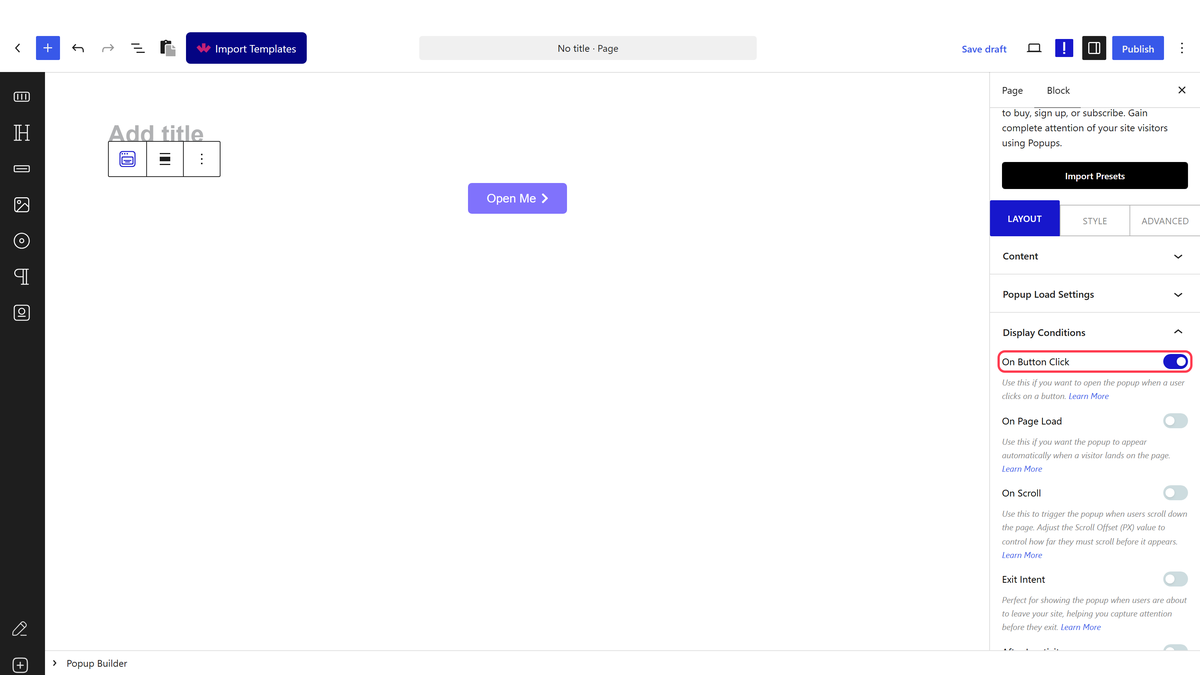
- Open Display Conditions and switch On Button Click on.
- In the Content panel, set Type to Slide or Push Content.
- Set Direction to the side the panel should come from.
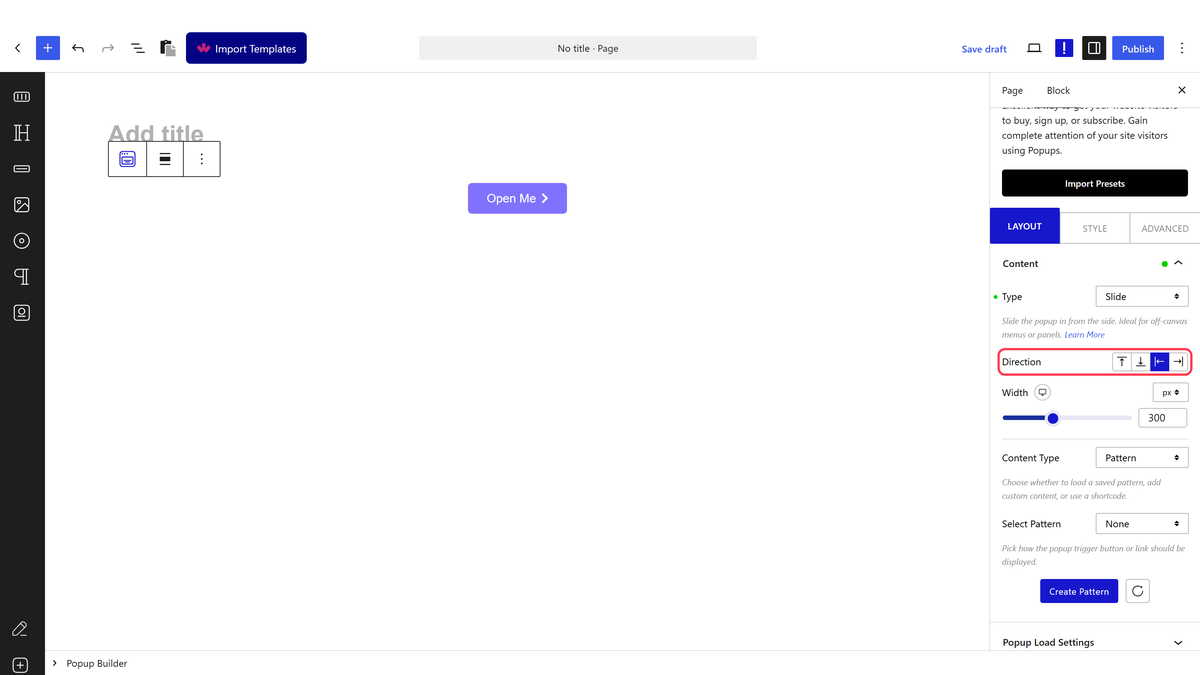
- Set Content Type to Pattern and choose a saved pattern holding your menu.
- Publish the page and test it on the front end.
A popup can have more than one display condition switched on at once. Leave On Button Click on only if you also want the button to open it.
How It Behaves
- Slide brings the panel in over the page; Push Content moves the page across to make room. Both were verified, and the choice is written into the page along with the direction.
- Slide Along Content and Corner Box are two more variations in the same setting.
- Direction decides which edge the panel comes from.
- Esc and clicking outside still close it, which is what people expect from a side menu.
Limitations
- Pro only.
- Push Content moves the whole page, which can look odd on a layout with fixed or sticky elements.
- A side panel needs its width set sensibly for phones, or it can cover the screen entirely.
- The menu itself comes from a pattern, so it has to be built and saved before it can be used here.
Troubleshooting
The panel covers the whole screen
Set Popup Width to a smaller value, and check it on a phone as well as a desktop.
It appears from the wrong side
Change Direction in the Content panel.
The page does not move with Push Content
Sticky or fixed elements in your theme can sit outside the area that moves. Try Slide instead.
