










Products are useful outside the shop. A landing page, an about page, a campaign page all sell better with the actual products on them.
The Product Listing block works on any page, because it runs its own query rather than relying on the shop.
Before You Start
- Edition: Pro — the Product Listing block needs Nexter Blocks Pro.
- Block to enable: Product Listing, switched on under Nexter > Blocks in your WordPress dashboard.
- WooCommerce active, with published products. The block reads your real catalogue, so an empty store renders an empty listing.
Steps
- Edit the page where you want products to appear.
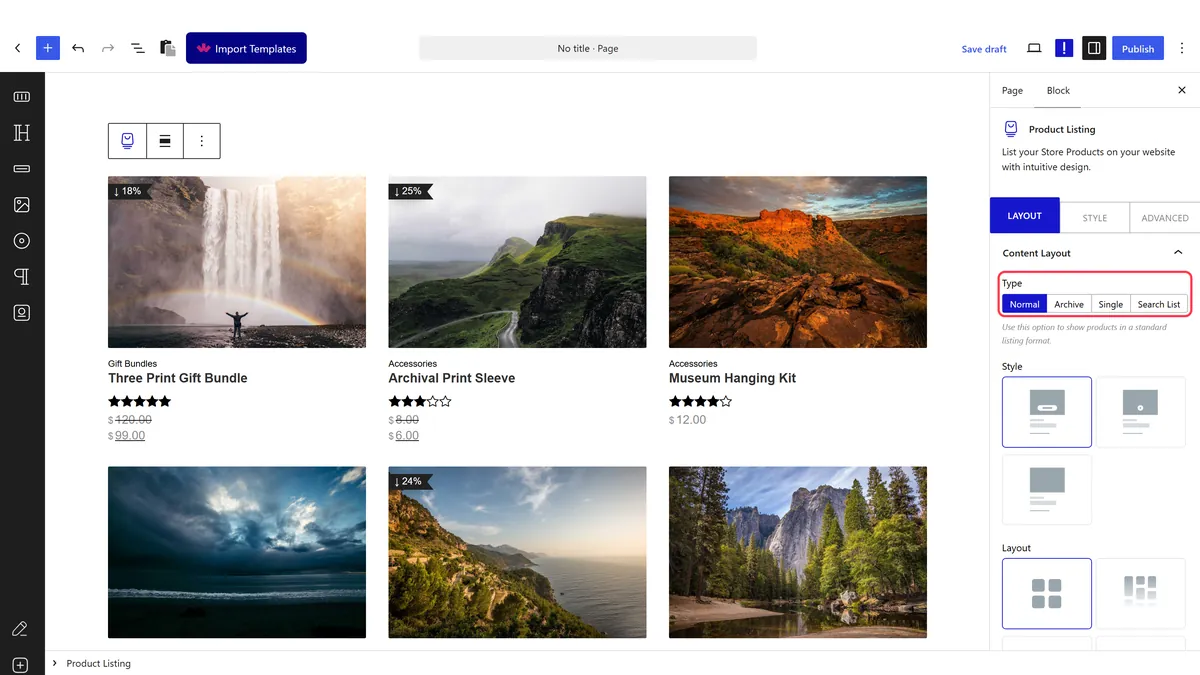
- Add the Product Listing block.
- Choose which products to show, by category, tag, featured or specific IDs.
- Set the layout and how many products appear.
- Publish and check the real page.
How It Behaves
The block is self-contained, so it does not need to be on a shop page to work.
- It runs its own query. Measured, the listing rendered products on an ordinary page with no shop context at all, which is the whole point.
- All the selection options are available: by category, by tag, featured only, on sale only, or specific product IDs.
- Every card carries its own data. Measured on a published page, each product renders as an
articlewhose classes include its category (product_cat-...), its tags (product_tag-...), its stock state (instockoroutofstock) and whether it is on sale. - Add to cart works from anywhere, so a landing page can sell directly without sending the visitor to the shop first.
- The exception is related products, which need a single product page — see show related products.
- Measured with Nexter Blocks Pro deactivated: the block renders nothing at all — no wrapper, no products, no prices. This is a Pro-only block.
Limitations
- Pro only — measured with Nexter Blocks Pro deactivated, nothing renders.
- Products on many pages means many product queries. Each listing is its own query, so scattering them across the site has a cost.
- Prices and stock are live. A landing page that mentions a price in its copy will go out of date while the listing stays correct, which looks worse than either alone.
- A hand-picked selection needs maintaining — see show products by ID.
- Archive and related modes do not apply here, because an ordinary page has neither context.
Troubleshooting
The listing is empty on my custom page
No published products match the query. Check any category, tag or featured restriction.
Related mode shows nothing
Expected. Related needs a single product page. Measured on an ordinary page it correctly returns nothing.
The prices in my page text are wrong
The listing shows live prices while your typed copy does not. Avoid repeating prices in the copy.
The page is slow
Each listing is a product query. Reduce the number of products, or the number of listings on the page.
