










Connecting your form to Kit, formerly ConvertKit, adds new subscribers to your Kit form and its automations.
The Form block in Nexter Blocks Pro subscribes each visitor to a Kit form you choose.
For every Form setting in one place, see the Form block guide.
Before You Start
- Edition: Pro — The ConvertKit action needs Nexter Blocks Pro.
- Block to enable: Form, switched on under Nexter > Blocks in your WordPress dashboard.
- Your Kit API key (v3): found under Settings > Developer in Kit. See Kit’s API overview.
- A form in Kit: subscribers are added to a Kit form, so create one first.
Learn via Video Tutorial
Steps
- Add the Form block to your page, click Design from Scratch and choose Simple Contact Form or Newsletter Form.
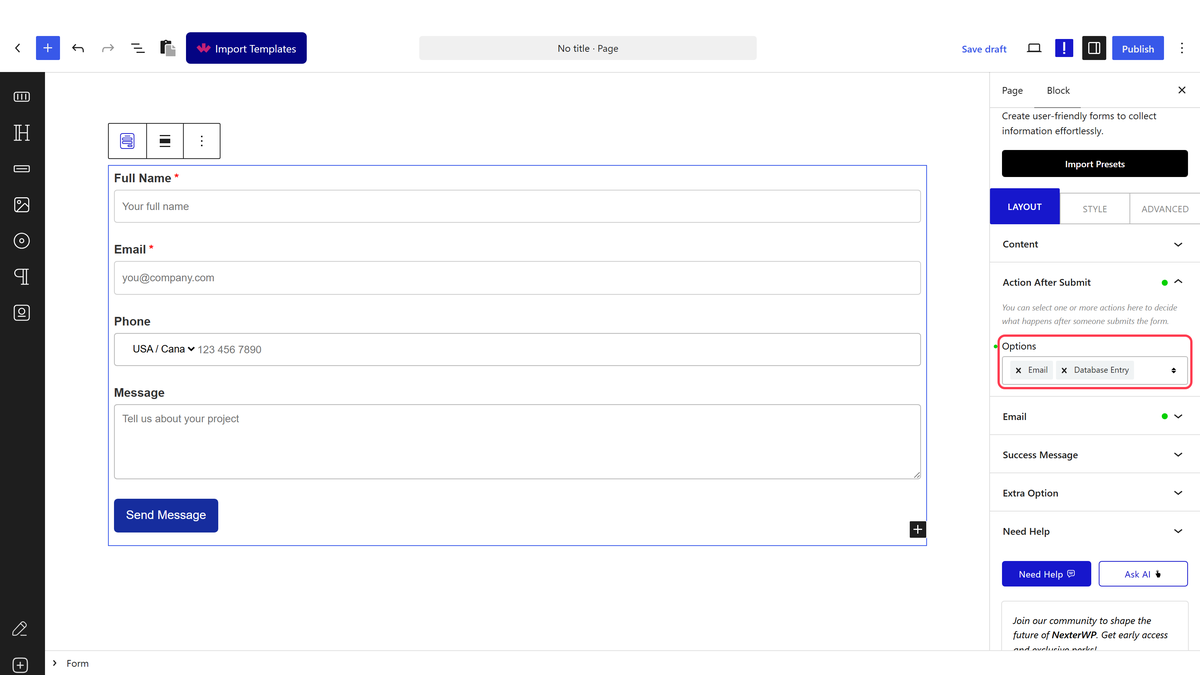
- Select the Form block (not a field inside it). In Action After Submit, open Options and choose ConvertKit. You can keep Email selected as well.
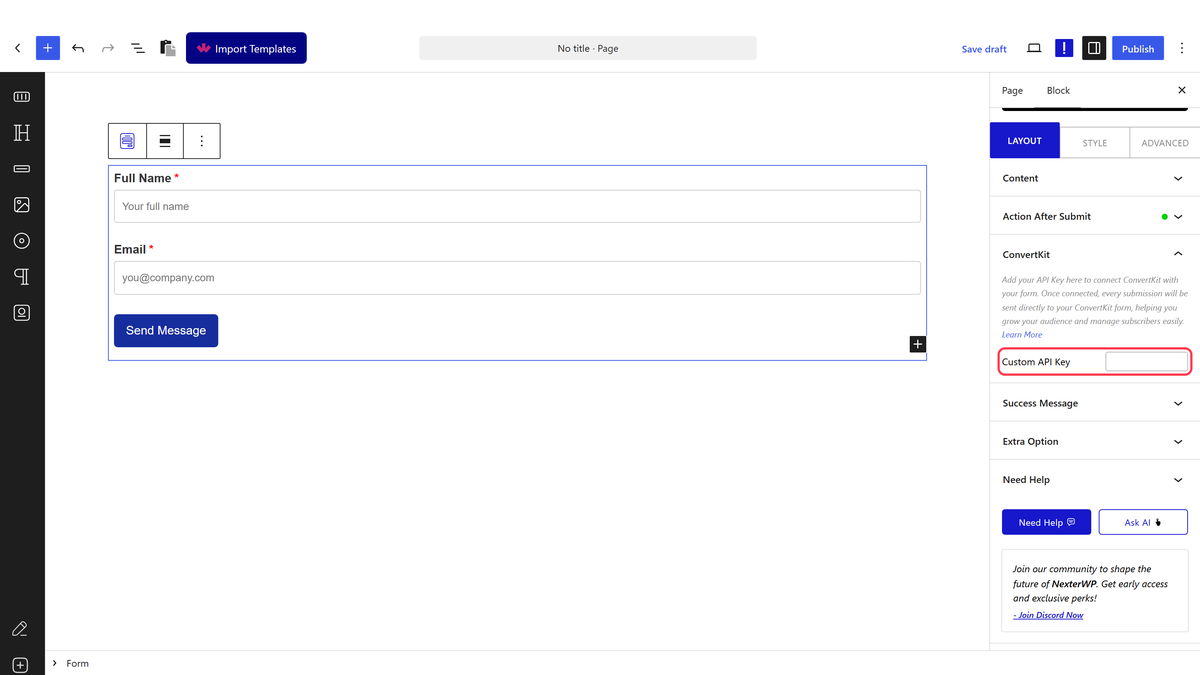
- Open the ConvertKit panel that appears and paste your key into Custom API Key.
- When your Kit forms load, pick one in the ConvertKit Form dropdown.
- Save the page, then submit the form once on the front end to test the connection.
How It Behaves
- Each submission subscribes the email to the Kit form you picked, with the name as first name.
- Kit’s own form settings decide whether the subscriber must confirm by email.
Limitations
- Pro only.
- The block uses Kit’s v3 API key. A v4 API key does not work here.
- Without a form chosen in ConvertKit Form, nothing is sent to Kit.
Troubleshooting
The ConvertKit Form dropdown does not appear
The key could not load your forms. Copy the v3 API key again and check you have at least one form in Kit.
Subscribers stay unconfirmed
Turn off double opt-in (incentive email) in the Kit form’s settings if you want them added straight away.
