










A Container can hold several columns side by side. Sometimes only one of them should carry the animation.
Apply To: Inner Container works exactly like Container, scoped one level deeper — to the column the block sits in, not the whole row around it.
For every Dynamic Device setting in one place, see the Scroll Sequence block guide.
Before You Start
- Edition: Pro — the Scroll Sequence block needs Nexter Blocks Pro.
- Block to enable: Scroll Sequence, switched on under Nexter > Blocks in your WordPress dashboard.
- Upload the frames in the order you want them played — a still-camera sequence of a product turning, a scene changing, or a chart building up. More frames make the motion smoother; fewer frames make it choppier but load faster.
- A Nexter Container with at least one column, and the Scroll Sequence block placed inside that column.
Steps
- Add the Scroll Sequence block and upload your frames under Images Upload, in playback order.
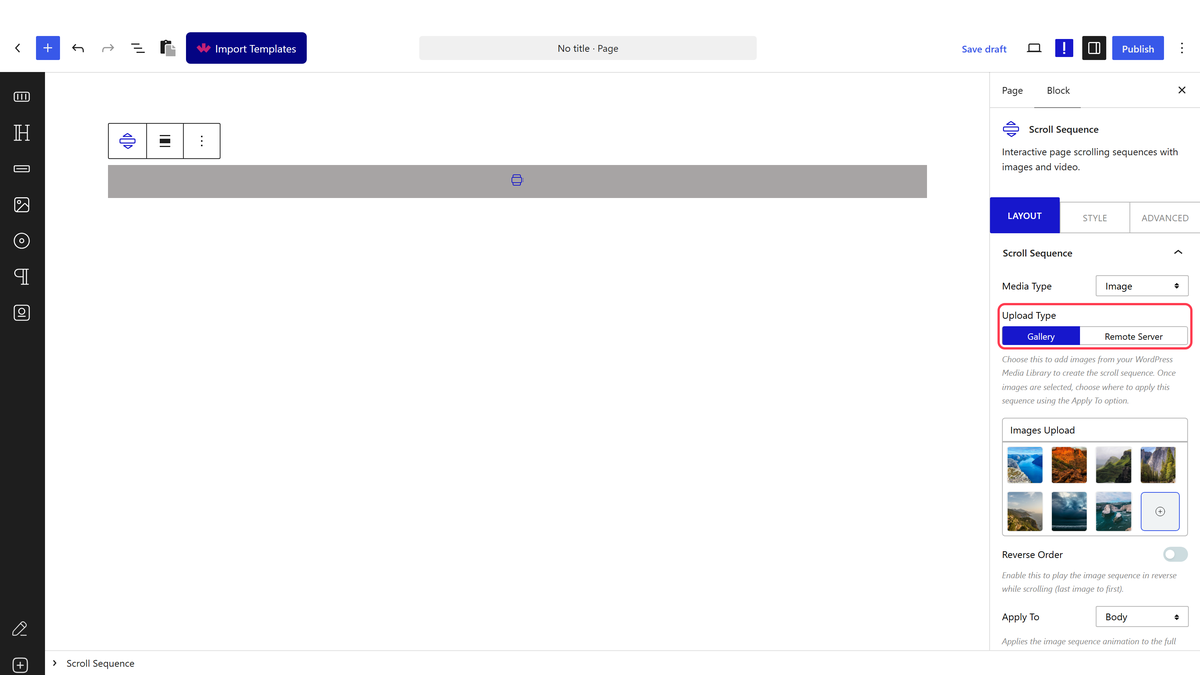
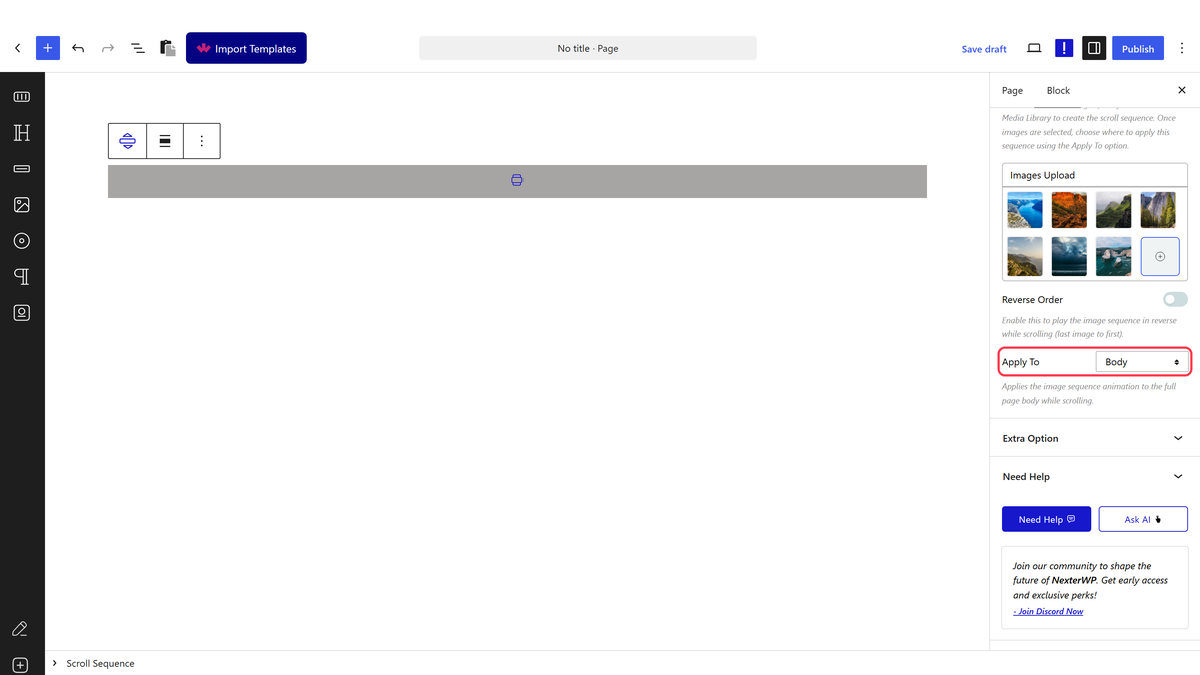
- Set Apply To for what drives the animation as the visitor scrolls.
- Place the Scroll Sequence block inside one column of a Container.
- Set Apply To to Inner Container.
- Give that column real height, tall enough to scroll through on its own.
Whatever you point Apply To at needs to be taller than the screen. Measured: a tracked element shorter than the viewport never draws a single frame — the canvas stays completely blank for the whole page, from the first scroll to the last. Give the tracked element real height, either with its own content or a minimum height setting.
How It Behaves
- Same mechanism as Container, one level deeper. The block tracks its nearest column ancestor instead of the whole row — useful for a two-column layout where only one side animates while the other holds ordinary text.
- The same height rule applies, measured the same way: a column shorter than the screen shows nothing at all, for the whole page — not a wrong frame, no frame.
- The block must sit directly inside the column, not the row around it, or Apply To finds the wrong ancestor (or none).
Limitations
- The column must be taller than the viewport, or nothing renders — measured, the same trap as Container.
- If the Scroll Sequence block is not inside a column at all, Inner Container has nothing to track.
- For the whole row instead of one column, use Apply To: Container.
Troubleshooting
The animation tracks the whole row, not just my column
Check Apply To is actually set to Inner Container, not Container.
The canvas never draws anything
The column is probably shorter than the screen — measured, this leaves the canvas blank for the whole page. Add more content or set a taller minimum height on the column.
