WordPress 7.1 shipped August 19 at WordCamp US, and Nexter matched it the same week: Abilities API support, a major Nexter Extension security hardening pass,…
What shipped in May 2026 for Nexter: 84 new WP Abilities across Extension and Blocks, WordPress 7.0 compatibility, plus Sagar's recap from WCEU Kraków.
What we shipped in April: Global Border + Global Border Radius, a deep performance pass on Nexter Theme and Extension, Typo Components Text Transform defaults.…
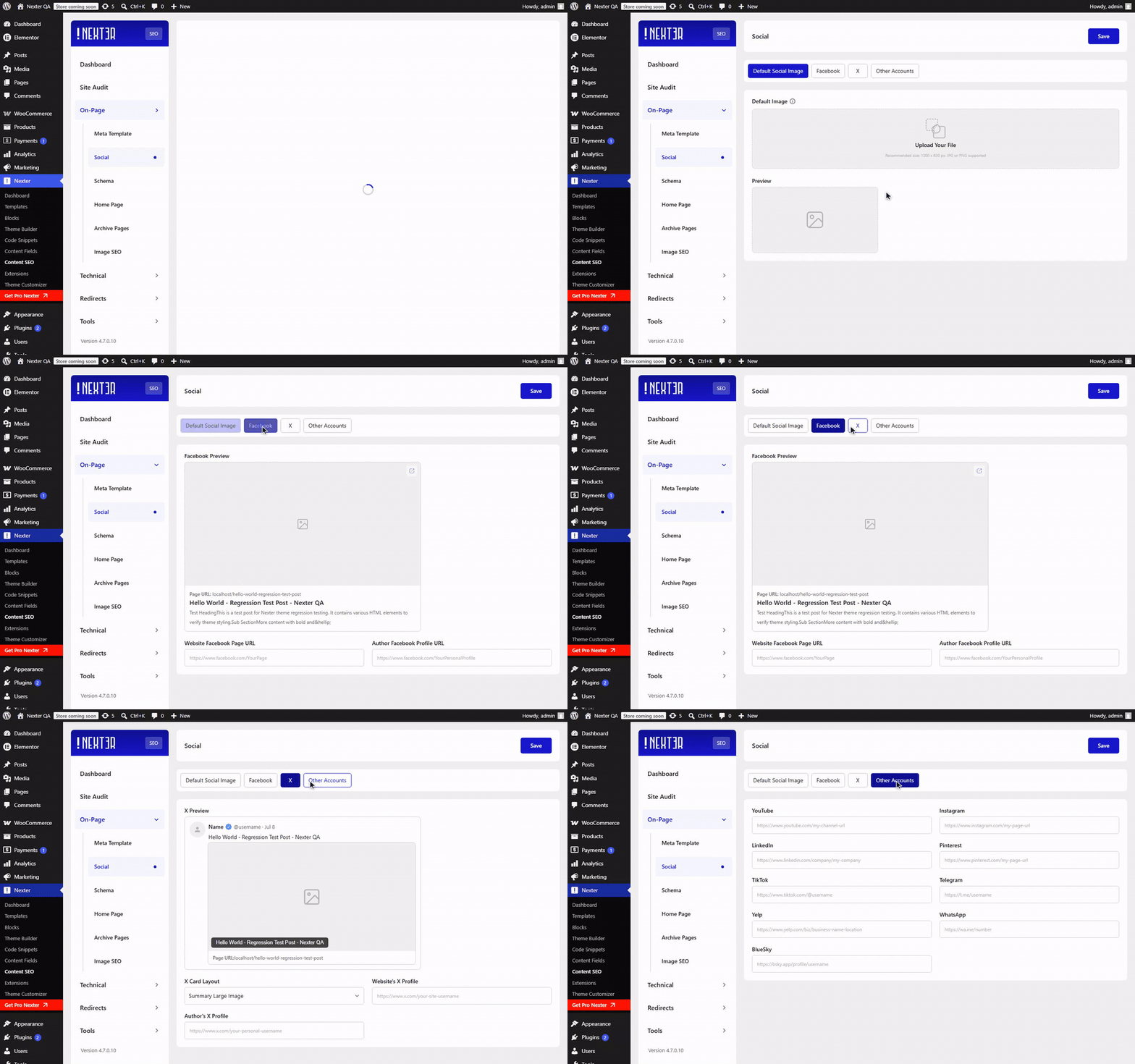
The Social screen controls how your pages look when someone shares them on social platforms. It sets a default share image (used for Open Graph and Twitter/X cards) and holds your per-platform account details, so links to your site show a clean, branded card instead of a random crop or blank preview.
Nexter → Content SEO → On-Page → Social.
How To Set Up Social / Open Graph Sharing?
The screen is split into four sub-tabs: Default Social Image, Facebook, X, and Other Accounts.
Start on the Default Social Image tab.
Use the Upload Your File dropzone to add a default share image. The recommended size is 1200 x 630 px, and JPG or PNG files are supported.
Confirm the selected image in the Preview thumbnail next to the uploader.
Move through the Facebook, X, and Other Accounts tabs to add your platform accounts and profile links.
Click Save at the top right.
Default Social Image tab
Setting
What it does
Default Image (Upload Your File)
Sets the fallback share image used when a page has no image of its own. Recommended 1200 x 630 px, JPG or PNG.
Preview
Thumbnail of the currently selected default image.
Save
Stores the social settings across the site.
Facebook, X, and Other Accounts tabs
These sub-tabs hold your social profile and account details, used to link and identify your brand across platforms (for example profile URLs and platform-specific handles). Fill in the accounts you use and leave the rest blank.
Good To Know
The default image is a fallback. If a specific page has its own featured or social image, that image is used for that page instead of the default.
Stick to the 1200 x 630 px size. It matches the Open Graph aspect ratio, so your image fills the card cleanly on Facebook, LinkedIn, and X without awkward cropping.
Set a default image even if you plan to add per-page images later. It guarantees every shared link has a usable preview from day one.
Troubleshooting
My share still shows the old image. Social platforms cache previews. Re-scrape the URL in the platform's sharing debugger (for example Facebook's Sharing Debugger) to force a refresh.
The card shows a blank or wrong image. Confirm a Default Social Image is uploaded and saved, and that the page does not have a conflicting per-page image set elsewhere.
My upload is rejected. Only JPG and PNG are supported here. Convert other formats before uploading.