










A team page usually wants the plainest possible arrangement: everyone the same size, in tidy rows, so no one looks more important than the next person.
That is the Grid layout, and it is the one that works without Nexter Blocks Pro.
For every Team Member setting in one place, see the Team Member feature guide.
Before You Start
- Edition: Free — measured working identically with and without Nexter Blocks Pro.
- Block to enable: Team Member, switched on under Nexter > Blocks in your WordPress dashboard.
Steps
- Add the Team Member block and add your people to the member list.
- Set Layout to Grid.
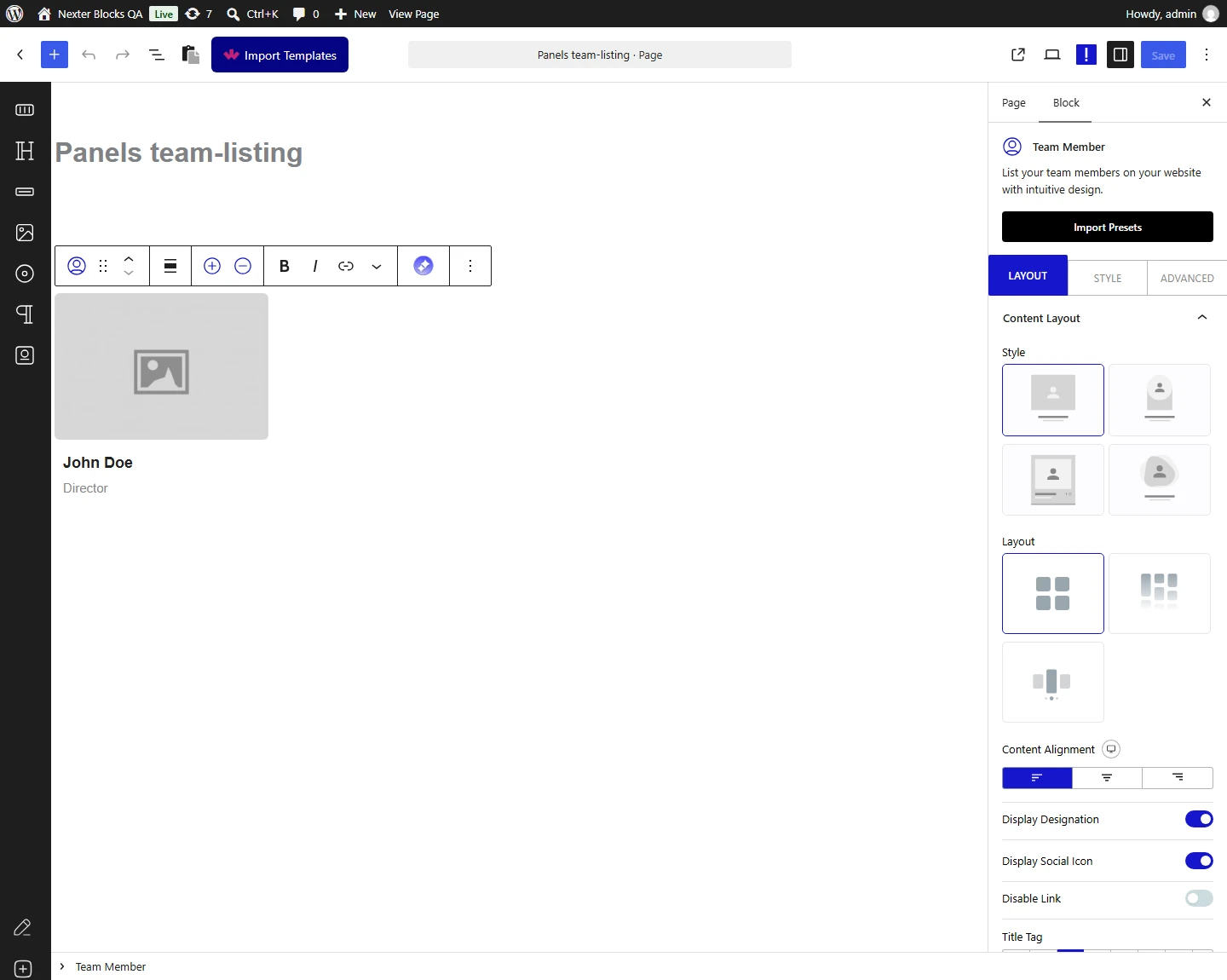
- Set how many columns you want on desktop, tablet and mobile.
- Adjust the gap between cards, then check it at each screen size.

How It Behaves
- Every card is the same width and the rows line up — measured on a published page, four members sat at evenly spaced positions across the row.
- It works without Nexter Blocks Pro. Measured twice, with Pro active and with Pro switched off: the four cards landed at identical positions both times.
- Columns are set per screen size, so a four-across desktop grid can become two across on tablet and one on a phone.
- Cards in a row match each other’s height, so uneven bio lengths do not stagger the grid.
Limitations
- Every card is the same height, which is the point of a grid — if you want cards to size to their own content use the Masonry layout (Pro).
- A long team makes a long page; there is no paging in this layout.
- Grid does not slide — for a compact scrolling row see Carousel (Pro).
- Style 2 needs Pro even on the grid layout, so stay on Style 1 on a free site.
Troubleshooting
My columns are not what I set
Columns are set separately for desktop, tablet and mobile. Check the value for the screen size you are actually previewing.
The cards are different heights
That usually means the layout has fallen back to masonry behaviour or the cards contain very different content. In Grid, cards in a row share a height by design.
My last row has a gap
That is normal when the number of members is not a multiple of the column count — add a member or change the column count to fill the row.
