










Did you know you could show multiple columns in your WordPress carousel slider?
Yes, you can absolutely do that with the Carousel Anything block from the Nexter Blocks. In this process, you could show more content in less number of slides.
To check the complete feature overview documentation of the Nexter Blocks Carousel Anything block, click here.
Requirement – This block is a part of the Nexter Blocks, make sure its installed & activated to enjoy all its powers.
To add multiple columns in carousel sliders add the Carousel Anything block on the page and follow the steps –
1. After you’ve created your slides in the Content tab, from the Columns dropdown choose the number of columns you want to show in a single slide.
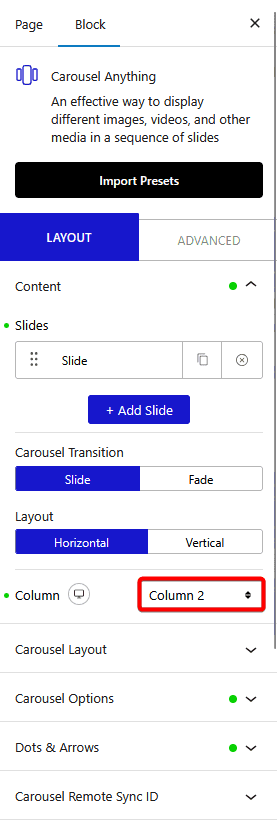
You can set a different number of columns for mobile and tablet.
From the Carousel Layout > Next Previous section you can set the behavior of your next/previous slide movement.
You can either move one column at a time or move all visible columns (depending on the number of columns set in the Column dropdown).
Also, check How to create Full Width Carousel Slider in WordPress.
