





Do you want to show your post category in a metro layout in WordPress? This unique and modern layout uses grid-style boxes to display content in an organized and visually appealing manner.
With the Taxonomy Listing block from the Nexter Blocks, you can easily show post categories in a metro layout.
To check the complete feature overview documentation of the Nexter Blocks Taxonomy Listing block, click here.
Requirement – This block is a part of the Nexter Blocks, make sure it’s installed & activated to enjoy all its powers.
To do this, make sure you’ve created some post categories then follow the steps –
1. Add the Taxonomy Listing block on a page and select an appropriate style from the Style section from the Layout tab.
2. Then select Metro from the Layout section.
3. After that select Categories from the Select Taxonomy dropdown.
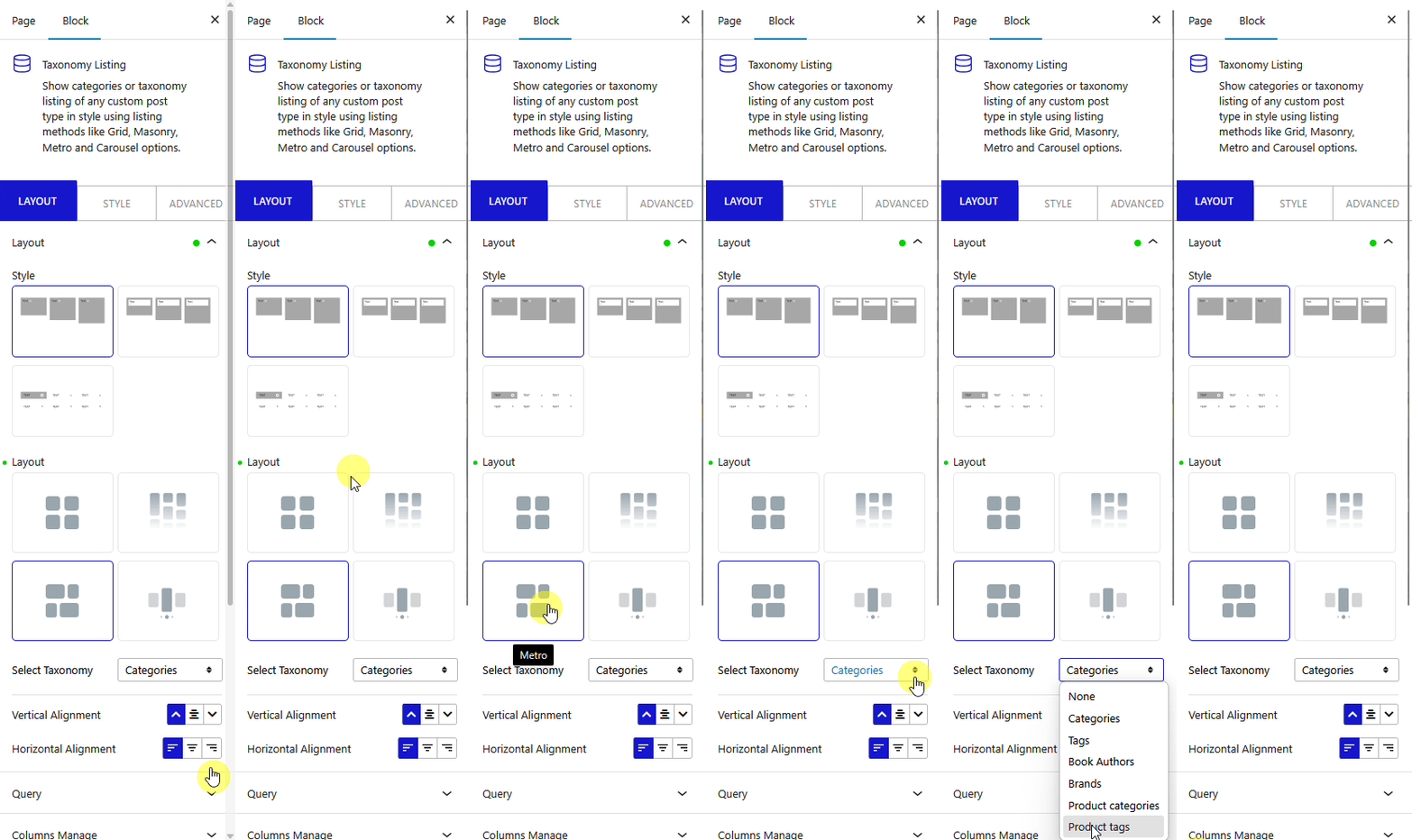
Note: Similarly you can show tags in a metro layout by selecting the Tags.
Now your post categories will show in a metro layout.