










The circle trailing the pointer is the most recognisable custom cursor on the web, and the least intrusive.
The Follow Circle type gives you that, plus two variations: a scroll progress ring and a blended circle.
For every Mouse Cursor setting in one place, see the Mouse Cursor block guide.
Before You Start
- Edition: Pro — the Mouse Cursor block is part of Nexter Blocks Pro.
- Block to enable: Mouse Cursor, switched on under Nexter > Blocks in your WordPress dashboard.
- Nothing beyond the block itself — the plain circle needs no image or text.
Steps
- Add the Mouse Cursor block and click Design from Scratch.
- Set Cursor Area to Body.
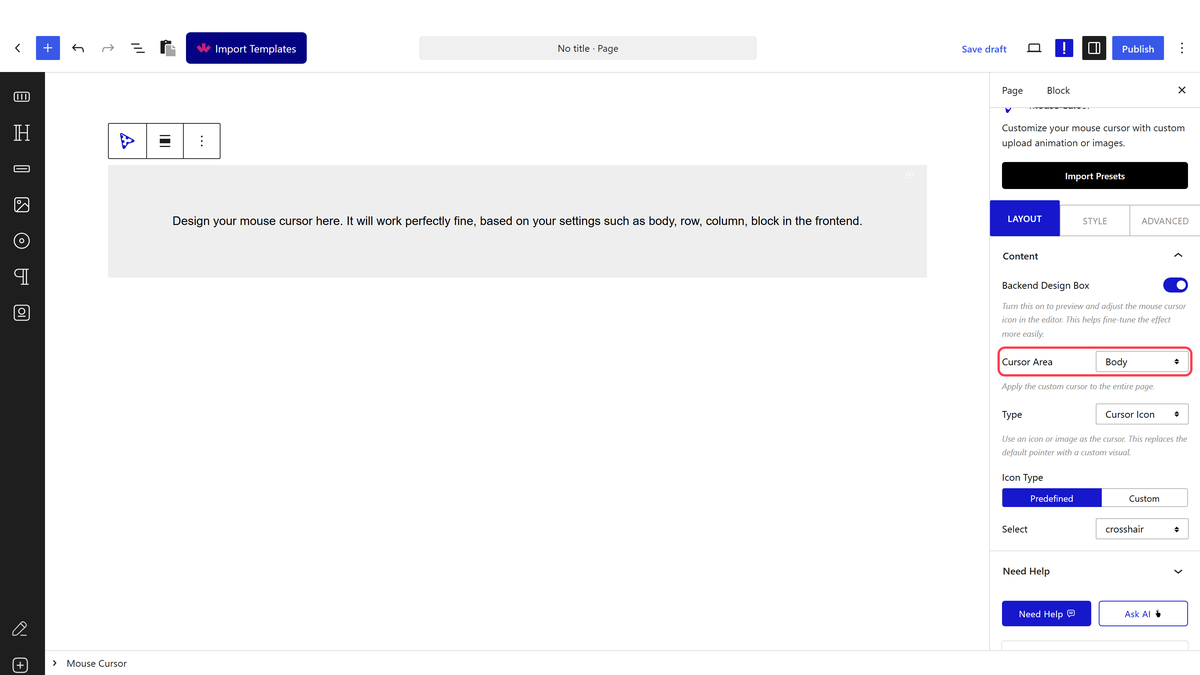
- Set Type to Follow Circle and leave Circle Cursor Type on Predefined.
- Leave Circle Style on Border for the plain circle.
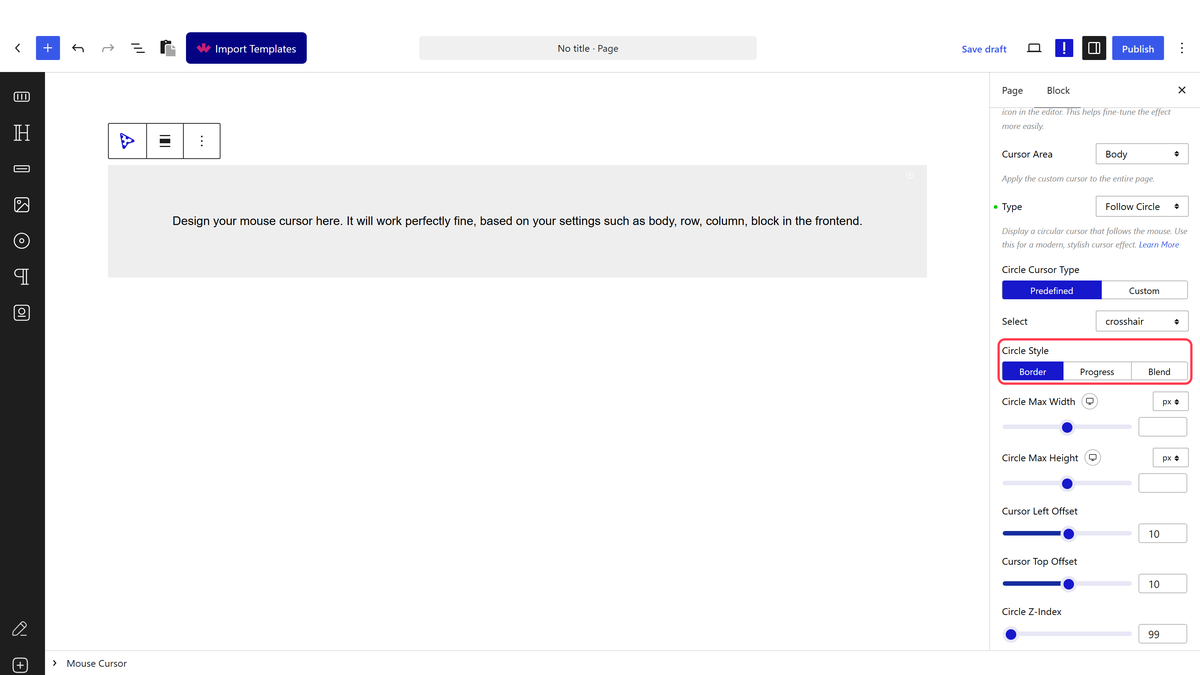
- Set Circle Max Width and Circle Max Height, then colour it in the Follow Circle panel on the Style tab.
- Publish and move the mouse.
The other two Circle Styles have their own guides: Progress turns the circle into a scroll indicator, and Blend mixes it into whatever is underneath.
How It Behaves
- It follows the pointer. Measured: the circle moved from (285, 285) to (885, 585) as the mouse moved from (300, 300) to (900, 600), at 50 by 50 pixels.
- Transition Duration sets how much it lags behind the pointer, which is what gives the effect its feel. It starts at 0.3 seconds.
- Transform CSS takes a raw CSS transform, so the circle can grow or rotate over links.
- List of Tags for Hover Effect decides which elements trigger the hover state; it starts as
a.
Limitations
- Pro only.
- A large circle covers what the visitor is pointing at. Keep it modest, or make it a thin outline.
- Transform CSS is a raw CSS field with no validation — a typo simply does nothing.
- The lag that makes it feel good also makes precise clicking harder if you set it too high.
- Touch screens have no cursor, so phone and tablet visitors see none of this.
Troubleshooting
No circle appears
Move the pointer over your content — over blank page background the normal pointer returns. Also check Cursor Area against where the block sits.
The circle is invisible against my page
Set its Background Color in the Follow Circle panel, or try ” + a(BLEND_DOC, “the blend style”) + “, which adapts to what is underneath.
It lags too far behind
Lower Transition Duration.
